 WORKFLOWS

5 AI Prompts for Busy Business Owners
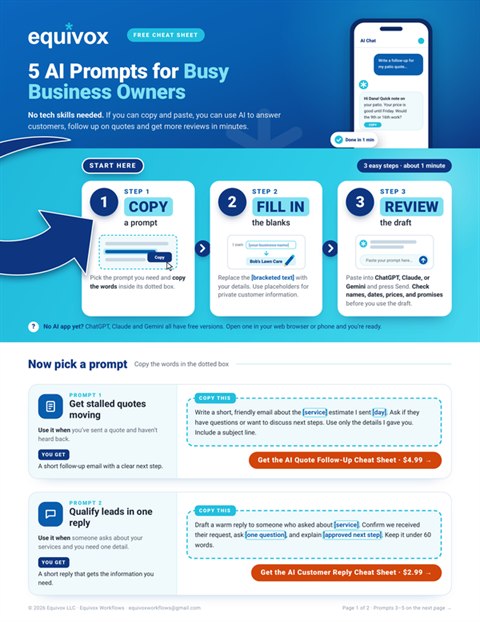
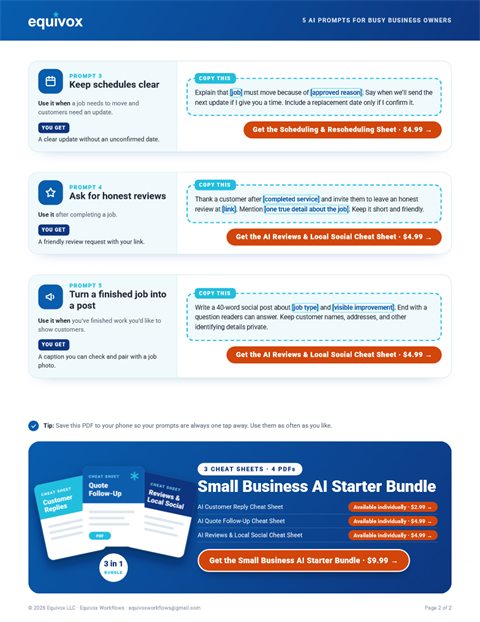
Put AI to work on the small tasks that pile up. Copy a prompt, fill in the blanks and check the draft before you use it. The free PDF covers following up on a quote, answering a new inquiry, rescheduling, asking for an honest review and writing a post about a finished job.
Secure checkout and instant download through Payhip.
What's inside
- Following up on a quote
- Answering a new inquiry
- Rescheduling
- Asking for an honest review
- Writing a post about a finished job
Who it's for
For busy owners who want to try AI on real customer work without learning anything technical.
If you can copy and paste, you can use it. Start with one prompt and have a draft in about a minute.
Look inside
How it works
a prompt.
Pick the prompt you need and copy the words inside its dotted box.
the blanks.
Replace the bracketed text with your details. Use placeholders for private customer information.
the draft.
Paste it into ChatGPT, Claude or Gemini. Review names, dates, prices and promises before you send it.
5 AI Prompts for Busy Business Owners
Questions
Do I need to pay for an AI tool?
No. ChatGPT, Claude and Gemini all have free versions. Open one in your web browser or phone and paste the prompt.
How do I get the PDF?
Checkout is handled securely by Payhip. After checkout, Payhip gives you the download link.
What about my customers' private information?
The prompts use placeholders like [service] and [day]. Replace the bracketed text with your details, and use placeholders for private customer information.
Should I check the AI's draft before I send it?
Yes. Check names, dates, prices and promises before you use the draft.
 AI Customer Reply Cheat Sheet
 AI Quote Follow-Up Cheat Sheet
 AI Reviews & Local Social Cheat Sheet
 Small Business AI Starter Bundle
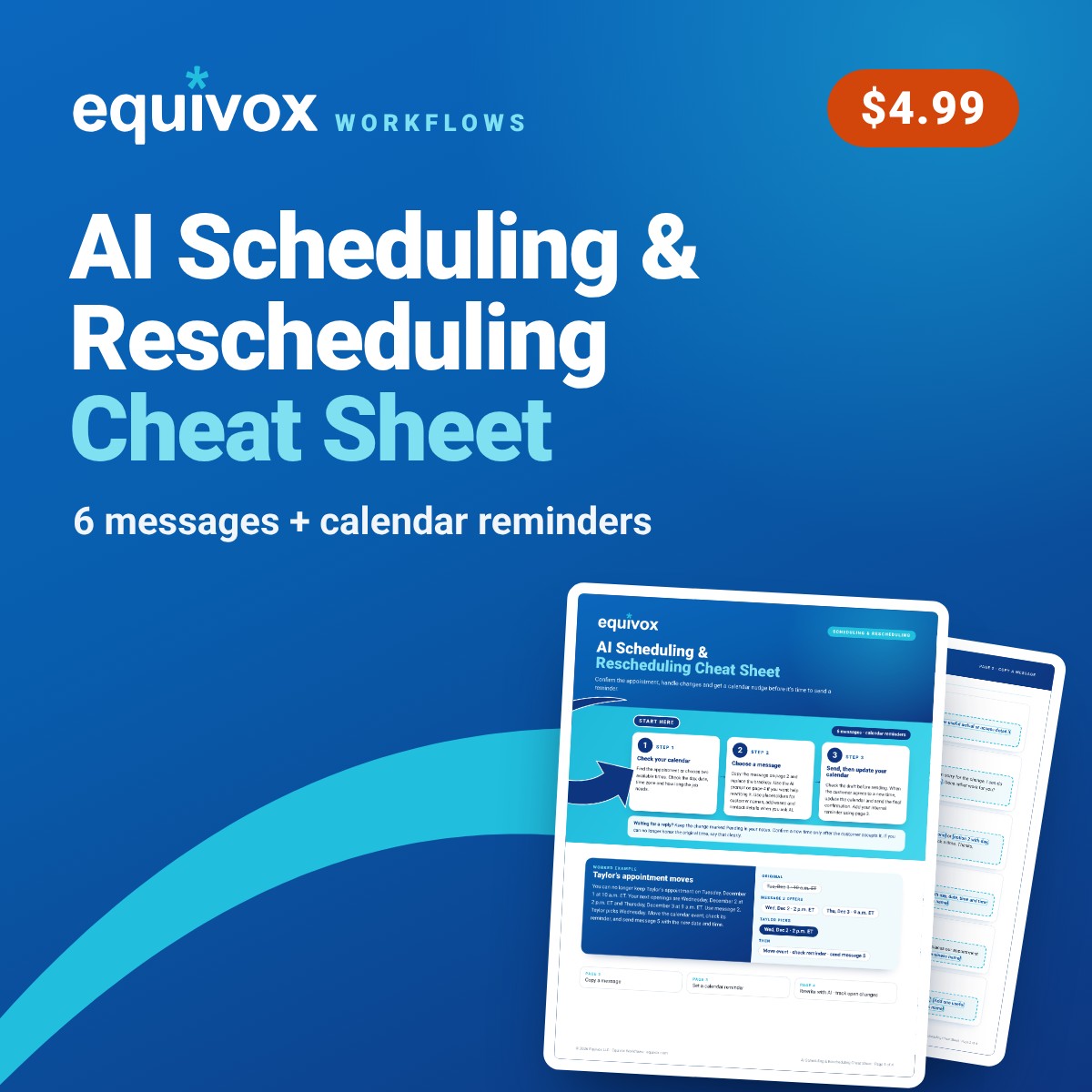 AI Scheduling & Rescheduling Cheat Sheet
Questions? Send us a note.
Have a question about a cheat sheet, an order or which resource to start with? Send us a note. Leave out passwords, payment information and private customer details.
Prefer email? equivoxworkflows@gmail.com